Affiliate disclosure: Some product links on Build Fix Learn may be affiliate links. If you purchase through one of these links, Build Fix Learn may earn a commission at no additional cost to you.
The goal
Some Jeeps have been known to have low charging voltage from the factory, which can be especially limiting if you want to upgrade to a much better-performing AGM battery. I’ve owned my 2006 Jeep Wrangler TJ since 2008, and it’s always charged a bit low, around 13.3 volts. That’s lower than I’d like to see from the charging system. Lead-acid and AGM batteries have different charging characteristics, and the charging system needs to provide the proper voltage for the battery chemistry to reach a full charge without shortening battery life.
This is particularly a problem when you’ve been winching all day in deep snow and the Jeep’s charging system is struggling to keep the battery charged enough to even run your E-Lockers by the end of the day.

I wanted to find a way to adjust the charging parameters while retaining all of the factory functionality. I didn’t want to modify the wiring harness or add any additional parts to the charging system. My goal was to get more than the roughly two years of battery life I’ve been seeing and properly support an AGM battery.
What I used
| Item | Type | Purpose / Notes | Link |
|---|---|---|---|
| Windows laptop | Computer | Runs the programming software | — |
| HP Tuners MPVI4 (with 2 credits) | OBD-II interface | Connects the computer to the Jeep | View product → |
| VCM Suite | Programming/Scanning software | Changes the charging voltage parameters | Visit website → |
| Fluke 15B+ | multimeter | Verifies battery and charging voltage | View product → |
How I did it
I first installed VCM Suite and plugged the MPVI4 into my Windows laptop without connecting it to a vehicle. I did this initially to register the MPVI4 and preload the credits. There’s an instruction pamphlet included in the box, and the process is simple and straightforward.
Next, plug the MPVI4 into the Jeep’s OBD-II port, turn the key to the ON position, and open VCM Editor. You’ll get a notification asking you to use your credits to license the Jeep’s ECM for editing.
Now that you’re connected to the Jeep, the first thing I did was create a backup copy of the factory ECM tune. This way, if I make a mistake, I don’t have to remember what the original settings were. I can simply reload the factory tune.
Finally we can get into how to adjust the voltage.
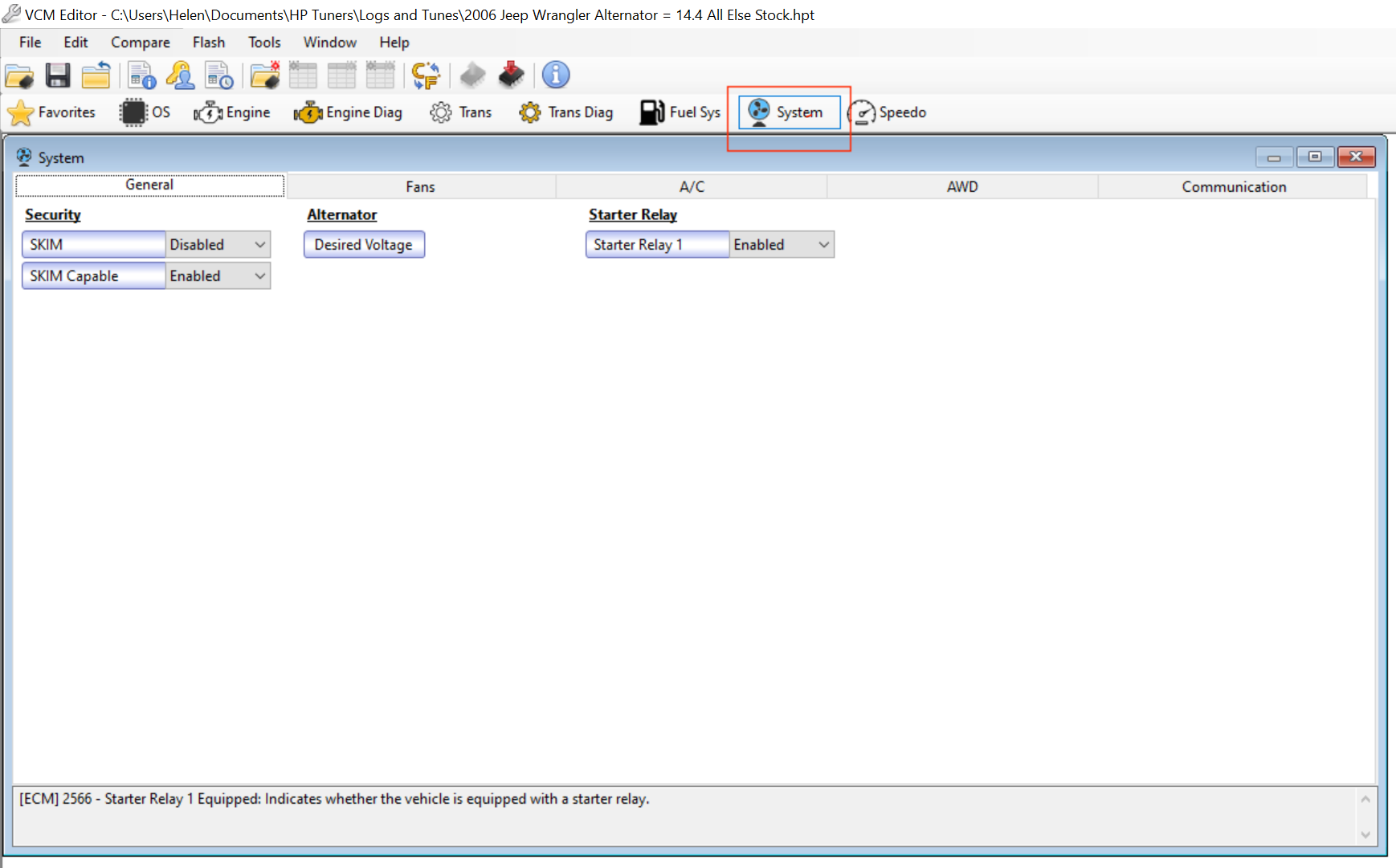
- With VCM Editor open click on the “System” tab
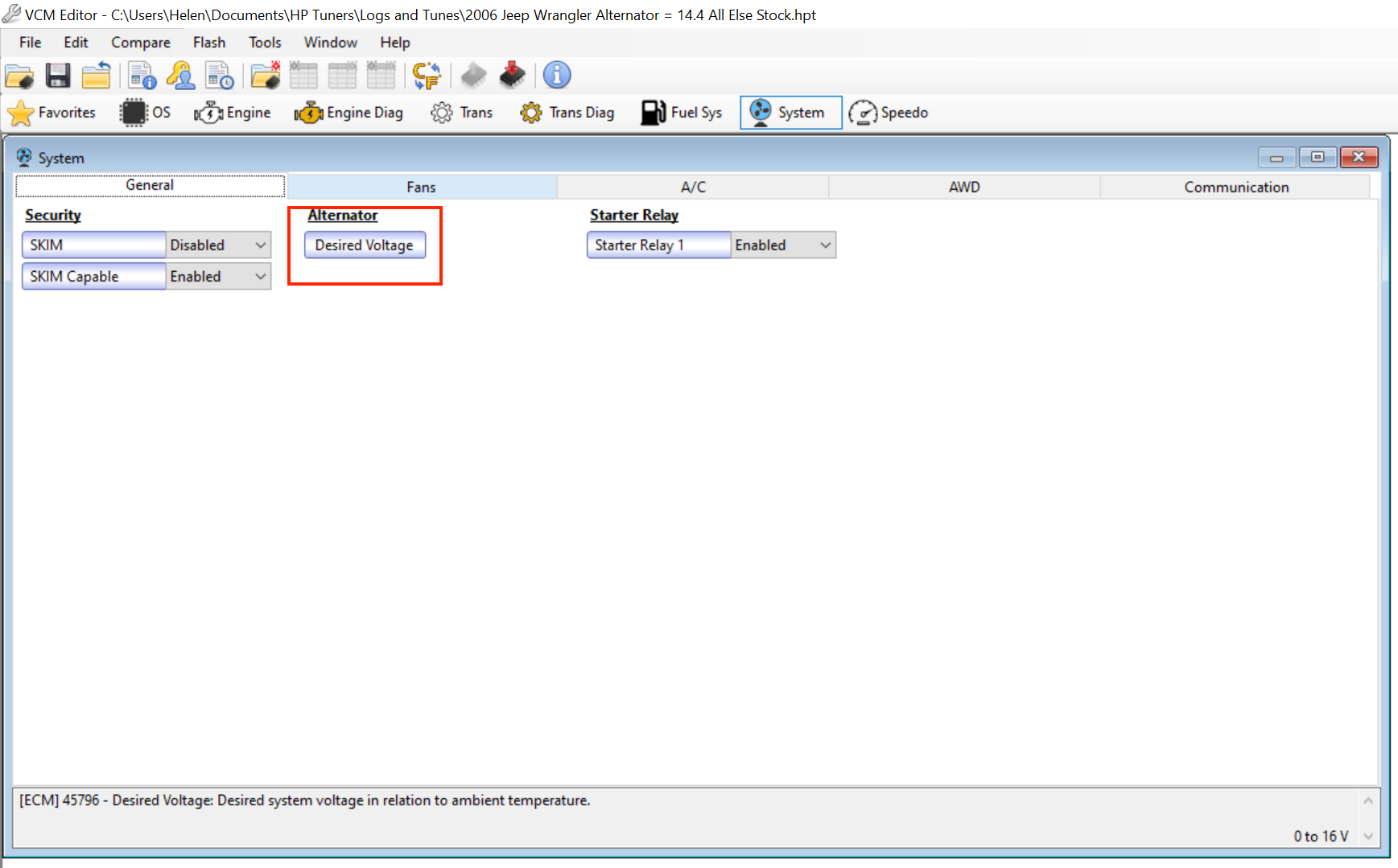
- Click on Desired Voltage
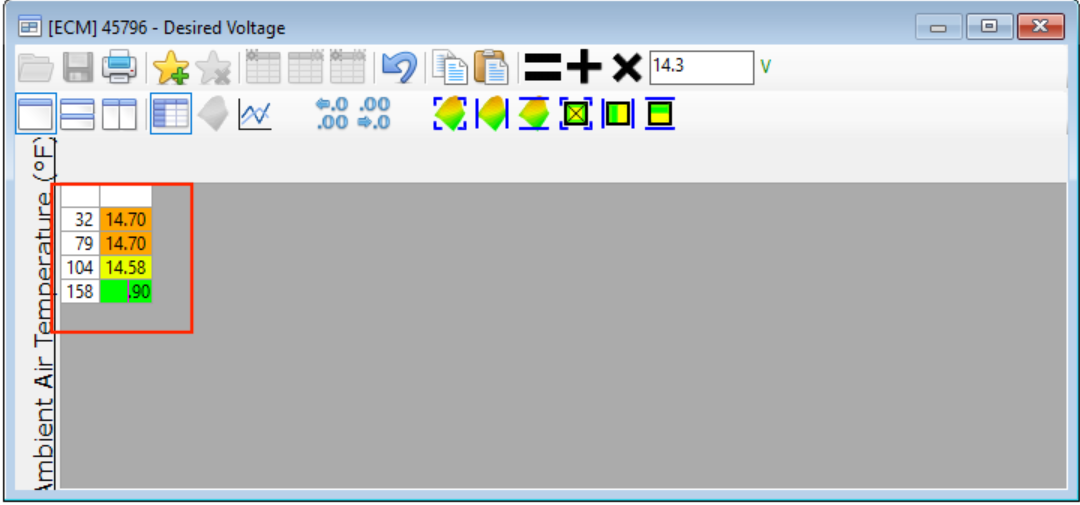
- Click each cell in the voltage table and enter your desired voltage. The left side of the table shows temperature, and the right side shows the desired charging voltage.
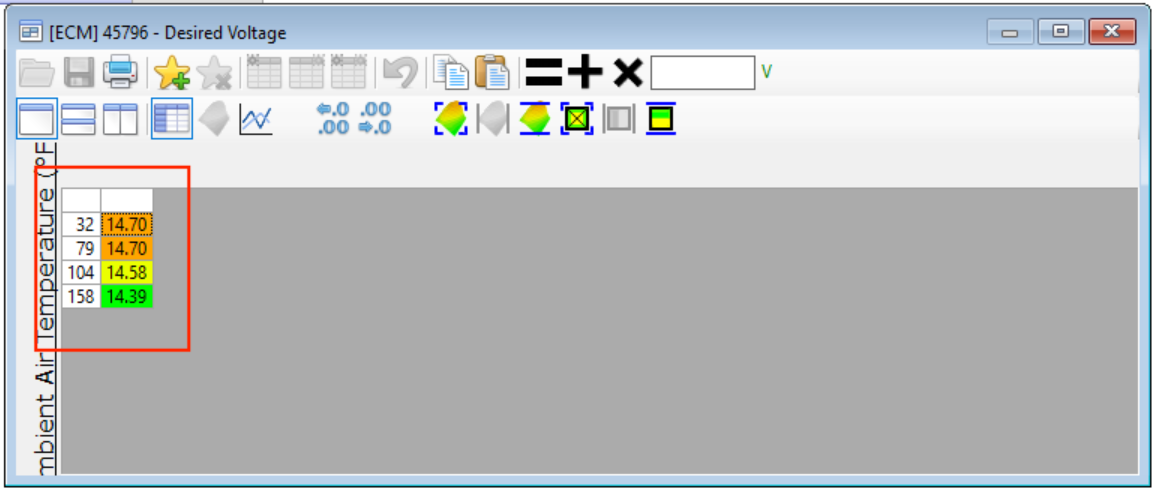
- Now save the changes and write the new tune to the Jeep’s ECM. Once the write is complete, disconnect the software, start the Jeep, and observe the charging voltage. You can use the ECM diagnostic tool to see what voltage the ECM is commanding in real time, then verify it with your multimeter directly at the battery.
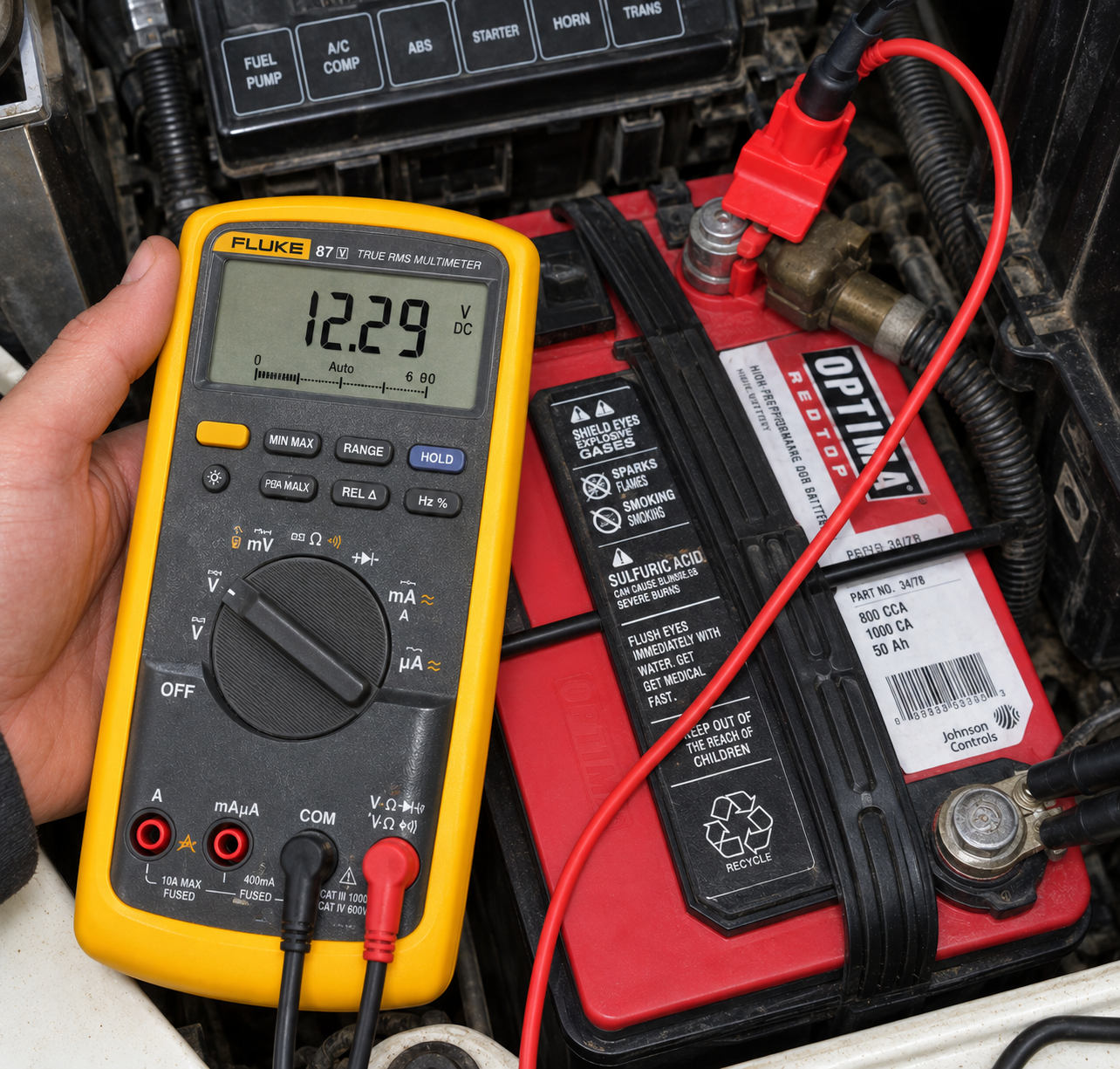
With the ECM commanding 14.3 volts, I measured 14.2 volts at the battery.Voltage Table after adjustment
What went wrong
VCM Editor seems to have a very specific startup sequence so be aware and follow the directions closely when connecting to your Jeep. I’ve also found that on my 2004 Jeep Wrangler, which has the Sentry Key Immobilizer System (SKIS), I’m unable to communicate with VCM editor to either the ECM or transmission control module. So far, I haven’t found a fix or figured out why.
The OBD-II port works normally for emissions testing and reading engine codes, and VCM Scanner communicates with the Jeep without a problem. VCM Editor, however, gives me an error telling me to make sure any aftermarket radio is unplugged. That’s particularly odd because this Jeep still has the factory radio.
I’ll update this article if I figure out what’s causing it.
What fixed it
Working on a solution to fix why VCM Editor will not connect.
What I learned
End with the practical takeaway and anything you would do differently next time. The software is very easy to use and now that I understand a tiny bit of what I’m doing, I’ve adjusted the voltage a few times to get the desired voltage output. What I did not expect is other things work better. The higher voltage means the Fan for the AC/Heater blow harder since the fan is now receiving 14.2 volts instead of 13.2. All the lights are brighter, headlights, tail lights, cabin lights. Since they are all receiving higher current. It’s a wonderfully good side effect.